


Page 9 - CS6_AI_Look_Inside.pdf
P. 9
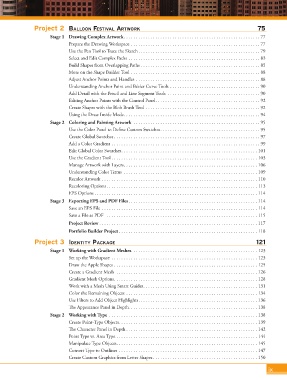
Project 2  Balloon Festival artwork                                                        75
                           Stage 1  Drawing Complex Artwork ........................................................ 77
                                   Prepare the Drawing Workspace ..................................................... 77
                                   Use the Pen Tool to Trace the Sketch .................................................. 79
                                   Select and Edit Complex Paths ...................................................... 83
                                   Build Shapes from Overlapping Paths  ................................................. 85
                                   More on the Shape Builder Tool ..................................................... 88
                                   Adjust Anchor Points and Handles ................................................... 88
                                   Understanding Anchor Point and Bézier Curve Tools ..................................... 90
                                   Add Detail with the Pencil and Line Segment Tools  ...................................... 90
                                   Editing Anchor Points with the Control Panel ........................................... 92
                                   Create Shapes with the Blob Brush Tool  ............................................... 92
                                   Using the Draw Inside Mode ........................................................ 94
                           Stage 2  Coloring and Painting Artwork  .................................................... 95
                                   Use the Color Panel to Define Custom Swatches ......................................... 95
                                   Create Global Swatches ............................................................ 97
                                   Add a Color Gradient ............................................................. 99
                                   Edit Global Color Swatches ........................................................ 101
                                   Use the Gradient Tool ............................................................ 103
                                   Manage Artwork with Layers ....................................................... 106
                                   Understanding Color Terms  ....................................................... 109
                                   Recolor Artwork ................................................................ 110
                                   Recoloring Options .............................................................. 113
                                   EPS Options ................................................................... 114
                           Stage 3  Exporting EPS and PDF Files ..................................................... 114
                                   Save an EPS File ................................................................ 114
                                   Save a File as PDF   .............................................................. 115
                                   Project Review ................................................................. 117
                                   Portfolio Builder Project ......................................................... 118
                     Project 3  identity Package                                                               121

                           Stage 1  Working with Gradient Meshes .................................................... 123
                                   Set up the Workspace  ............................................................ 123
                                   Draw the Apple Shapes ........................................................... 125
                                   Create a Gradient Mesh  .......................................................... 126
                                   Gradient Mesh Options ........................................................... 128
                                   Work with a Mesh Using Smart Guides ............................................... 131
                                   Color the Remaining Objects ...................................................... 134
                                   Use Filters to Add Object Highlights ................................................. 136
                                   The Appearance Panel in Depth. . . . . . . . . . . . . . . . . . . . . . . . . . . . . . . . . . . . . . . . . . . . . . . . . . . . . 138
                           Stage 2  Working with Type  ............................................................. 138
                                   Create Point-Type Objects ......................................................... 139
                                   The Character Panel in Depth ...................................................... 142
                                   Point Type vs. Area Type .......................................................... 144
                                   Manipulate Type Objects .......................................................... 145
                                   Convert Type to Outlines ......................................................... 147
                                   Create Custom Graphics from Letter Shapes ........................................... 150

                                                                                                                    ix

