


Page 11 - CS6_AI_Look_Inside.pdf
P. 11
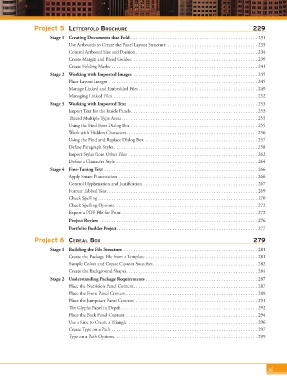
Project 5  letterFold Brochure                                                           229
                           Stage 1  Creating Documents that Fold .................................................... 231
                                   Use Artboards to Create the Panel Layout Structure  ..................................... 233
                                   Control Artboard Size and Position .................................................. 234
                                   Create Margin and Bleed Guides .................................................... 239
                                   Create Folding Marks ............................................................ 241
                           Stage 2  Working with Imported Images  ................................................... 245
                                   Place Layout Images  ............................................................. 245
                                   Manage Linked and Embedded Files ................................................. 249
                                   Managing Linked Files  ........................................................... 252
                           Stage 3  Working with Imported Text  ..................................................... 253
                                   Import Text for the Inside Panels .................................................... 253
                                   Thread Multiple Type Areas ........................................................ 255
                                   Using the Find Font Dialog Box .................................................... 255
                                   Work with Hidden Characters ...................................................... 256
                                   Using the Find and Replace Dialog Box  .............................................. 257
                                   Define Paragraph Styles ........................................................... 258
                                   Import Styles from Other Files  ..................................................... 262
                                   Define a Character Style .......................................................... 264
                           Stage 4  Fine-Tuning Text ............................................................... 266
                                   Apply Smart Punctuation  ......................................................... 266
                                   Control Hyphenation and Justification ............................................... 267
                                   Format Tabbed Text .............................................................. 269
                                   Check Spelling  ................................................................. 270
                                   Check Spelling Options ........................................................... 272
                                   Export a PDF File for Print ........................................................ 272
                                   Project Review ................................................................. 276
                                   Portfolio Builder Project .......................................................... 277

                     Project 6  cereal Box                                                                    279
                           Stage 1  Building the File Structure  ....................................................... 281
                                   Create the Package File from a Template .............................................. 281
                                   Sample Colors and Create Custom Swatches ........................................... 282
                                   Create the Background Shapes ...................................................... 284
                           Stage 2  Understanding Package Requirements .............................................. 287
                                   Place the Nutrition Panel Content ................................................... 287
                                   Place the Front Panel Content ...................................................... 289
                                   Place the Jumpstart Panel Content  .................................................. 291
                                   The Glyphs Panel in Depth ........................................................ 292
                                   Place the Back Panel Content ...................................................... 294
                                   Use a Line to Create a Triangle  ..................................................... 296
                                   Create Type on a Path ............................................................ 297
                                   Type on a Path Options ........................................................... 299


                                                                                                                    xi

