


Page 72 - CC2018_AI_Look_Inside
P. 72
Project Summary
          Project Summary

          The skills that you learned in this project will serve as the foundation for most work you create in
          Illustrator. You learned how to place raster images as templates, from which you created scalable vector
          graphics that will work in virtually any printed application. You learned a number of techniques
          for selecting objects and component pieces of objects, as well as various options for aligning objects
          relative to one another and to the artboard.
              You learned how to draw primitive geometric shapes, and how to control the color of objects’ fill
          and stroke attributes. You used a number of transformation options, including cloning methods to
          copy existing objects. Finally, you learned how to draw freeform shapes to suit more complex needs.
          As you move forward in this book, you will build on the basic skills you learned in this project to
          create increasingly complex artwork.

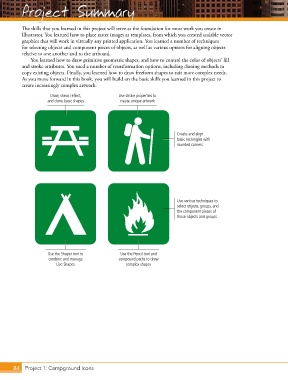
                      Draw, shear, reflect,       Use stroke properties to
                     and clone basic shapes        create unique artwork


                                                                          Create and align
                                                                          basic rectangles with
                                                                          rounded corners


                                                                          Use various techniques to
                                                                          select objects, groups, and
                                                                          the component pieces of
                                                                          those objects and groups


                     Use the Shaper tool to        Use the Pencil tool and
                     combine and manage           compound paths to draw
                        Live Shapes                  complex shapes


       84 Project 1: Campground Icons

