


Page 11 - CC2018_GD_Look_Inside
P. 11
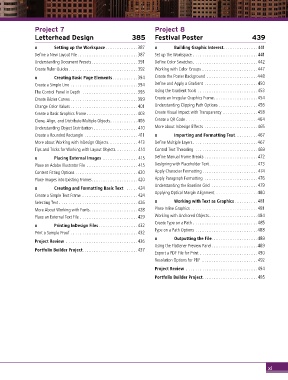
Project 7                                         Project 8
               Letterhead Design                       385       Festival Poster                         439

               o       Setting up the Workspace ..............387  o     Building Graphic Interest...............441
               Define a New Layout File ..........................387  Set up the Workspace ............................441
               Understanding Document Presets.................... 391  Define Color Swatches............................442
               Create Ruler Guides..............................392  Working with Color Groups ........................447
               o       Creating Basic Page Elements...........394  Create the Poster Background ......................448
               Create a Simple Line .............................394  Define and Apply a Gradient .......................450
               The Control Panel in Depth ........................395  Using the Gradient Tools .......................... 453
               Create Bézier Curves .............................399  Create an Irregular Graphics Frame...................454
               Change Color Values .............................401  Understanding Clipping Path Options .................456
               Create a Basic Graphics Frame ......................403  Create Visual Impact with Transparency ...............458
               Clone, Align, and Distribute Multiple Objects............406  Create a QR Code ...............................464
               Understanding Object Distribution ................... 410  More about InDesign Effects  .......................465
               Create a Rounded Rectangle ....................... 411  o   Importing and Formatting Text..........467
               More about Working with InDesign Objects............. 413  Define Multiple Layers ............................467
               Tips and Tricks for Working with Layout Objects ......... 414  Control Text Threading  . . . . . . . . . . . . . . . . . . . . . . . . . . .469
               o       Placing External Images ............... 415  Define Manual Frame Breaks ....................... 472
               Place an Adobe Illustrator File ...................... 415  Designing with Placeholder Text ..................... 473
               Content Fitting Options ........................... 420  Apply Character Formatting ........................ 474
               Place Images into Existing Frames....................420  Apply Paragraph Formatting ....................... 476
                                                                 Understanding the Baseline Grid  .................... 479
               o       Creating and Formatting Basic Text   ..... 424
                                                                 Applying Optical Margin Alignment ..................480
               Create a Simple Text Frame ........................ 424
               Selecting Text .................................. 426  o   Working with Text as Graphics ..........481
               More About Working with Fonts..................... 428  Place Inline Graphics . . . . . . . . . . . . . . . . . . . . . . . . . . . . .481
               Place an External Text File .........................429  Working with Anchored Objects.....................484
                                                                 Create Type on a Path ............................485
               o       Printing InDesign Files................. 432
               Print a Sample Proof ............................. 432  Type on a Path Options ...........................488
                                                                 o       Outputting the File....................489
               Project Review ...............................436
                                                                 Using the Flattener Preview Panel....................489
               Portfolio Builder Project........................ 437
                                                                 Export a PDF File for Print .........................490
                                                                 Resolution Options for PDF ........................ 492
                                                                 Project Review ...............................494

                                                                 Portfolio Builder Project........................495


                                                                                                                xi

