


Page 72 - CC2019_PS_Look_Inside
P. 72
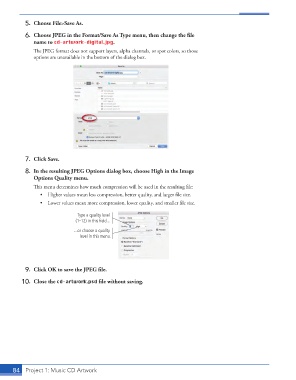
5.  Choose File>Save As.

               6.  Choose JPEG in the Format/Save As Type menu, then change the fi le
                   name to cd-artwork-digital.jpg.
                   Th  e JPEG format does not support layers, alpha channels, or spot colors, so those
                   options are unavailable in the bottom of the dialog box.


               7.  Click Save.

               8.  In the resulting JPEG Options dialog box, choose High in the Image
                   Options Quality menu.
                   Th  is menu determines how much compression will be used in the resulting fi le:
                      •  Higher values mean less compression, better quality, and larger fi le size.
                      •  Lower values mean more compression, lower quality, and smaller fi le size.

                                    Type a quality level
                                   (1–12) in this field...

                                   ...or choose a quality
                                     level in this menu.


               9.  Click OK to save the JPEG fi le.

               10.  Close the cd-artwork.psd fi le without saving.


           84     Project 1: Music CD Artwork

