


Page 81 - CC2017_PS_Look_Inside
P. 81
Project Summary


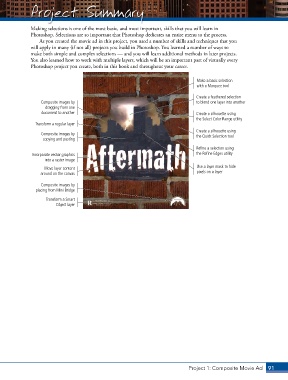
              Making selections is one of the most basic, and most important, skills that you will learn in
              Photoshop. Selections are so important that Photoshop dedicates an entire menu to the process.
                 As you created the movie ad in this project, you used a number of skills and techniques that you
              will apply in many (if not all) projects you build in Photoshop. You learned a number of ways to
              make both simple and complex selections — and you will learn additional methods in later projects.
              You also learned how to work with multiple layers, which will be an important part of virtually every
              Photoshop project you create, both in this book and throughout your career.


                                                                                  Make a basic selection
                                                                                  with a Marquee tool

                                                                                  Create a feathered selection
                  Composite images by                                             to blend one layer into another
                    dragging from one
                  document to another                                             Create a silhouette using
                                                                                  the Select Color Range utility
                Transform a regular layer
                                                                                  Create a silhouette using
                  Composite images by                                             the Quick Selection tool
                   copying and pasting

                                                                                  Refine a selection using
              Incorporate vector graphics                                         the Refine Edges utility
                    into a raster image

                   Move layer content                                             Use a layer mask to hide
                  around on the canvas                                            pixels on a layer

                  Composite images by
                placing from Mini Bridge

                    Transform a Smart
                        Object layer


                                                                               Project 1: Composite Movie Ad    91

