


Page 41 - Adobe Photoshop 2022
P. 41
Working with Embedded and Linked Smart Objects

             In this project you used the Place Embedded option to create   Linked files also have potential disadvantages. As we
             a Smart Object layer containing the placed file data; the   mentioned previously, double-clicking a Smart Object layer
             embedded file data became a part of the parent file.  thumbnail opens the linked or embedded file in an application
                                                             that can edit the relevant data. If you are working with linked
             If you double-click the thumbnail icon of an embedded Smart   Smart Object layers, any changes you make affect the original
             Object, the embedded file opens in an application that can   file data. This means your changes appear not only in the
             edit the stored data — AI files open in Illustrator; PSD, TIFF,   parent Photoshop file where it is linked, but also in any other
             and JPEG files open in Photoshop.               file that links to the same data.

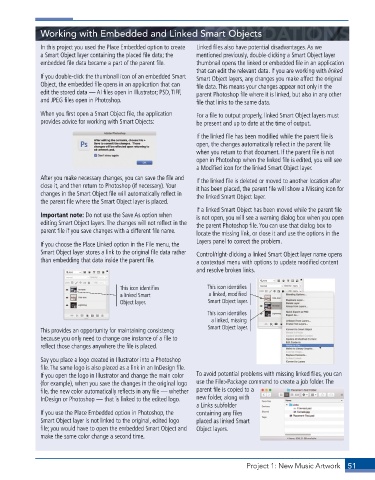
             When you first open a Smart Object file, the application   For a file to output properly, linked Smart Object layers must
             provides advice for working with Smart Objects:   be present and up to date at the time of output.

                                                             If the linked file has been modified while the parent file is
                                                             open, the changes automatically reflect in the parent file
                                                             when you return to that document. If the parent file is not
                                                             open in Photoshop when the linked file is edited, you will see
                                                             a Modified icon for the linked Smart Object layer.
             After you make necessary changes, you can save the file and   If the linked file is deleted or moved to another location after
             close it, and then return to Photoshop (if necessary). Your   it has been placed, the parent file will show a Missing icon for
             changes in the Smart Object file will automatically reflect in   the linked Smart Object layer.
             the parent file where the Smart Object layer is placed.
                                                             If a linked Smart Object has been moved while the parent file
             Important note: Do not use the Save As option when   is not open, you will see a warning dialog box when you open
             editing Smart Object layers. The changes will not reflect in the   the parent Photoshop file. You can use that dialog box to
             parent file if you save changes with a different file name.  locate the missing link, or close it and use the options in the

             If you choose the Place Linked option in the File menu, the   Layers panel to correct the problem.
             Smart Object layer stores a link to the original file data rather   Control/right-clicking a linked Smart Object layer name opens
             than embedding that data inside the parent file.   a contextual menu with options to update modified content
                                                             and resolve broken links.

                                      This icon identifies      This icon identifies
                                      a linked Smart             a linked, modified
                                      Object layer.             Smart Object layer.
                                                                This icon identifies
                                                                  a linked, missing
             This provides an opportunity for maintaining consistency   Smart Object layer.
             because you only need to change one instance of a file to
             reflect those changes anywhere the file is placed.

             Say you place a logo created in Illustrator into a Photoshop
             file. The same logo is also placed as a link in an InDesign file.
             If you open the logo in Illustrator and change the main color   To avoid potential problems with missing linked files, you can
             (for example), when you save the changes in the original logo   use the File>Package command to create a job folder. The
             file, the new color automatically reflects in any file — whether   parent file is copied to a
             InDesign or Photoshop — that is linked to the edited logo.  new folder, along with
                                                             a Links subfolder
             If you use the Place Embedded option in Photoshop, the   containing any files
             Smart Object layer is not linked to the original, edited logo   placed as linked Smart
             file; you would have to open the embedded Smart Object and   Object layers.
             make the same color change a second time.


                                                                            Project 1: New Music Artwork   51

