


Page 9 - Adobe Illustrator 2022
P. 9
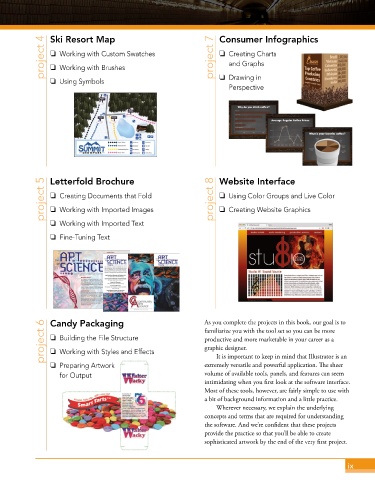
project 4  Ski Resort Map                           project 7  Consumer Infographics
                o  Working with Custom Swatches
                                                                    o  Creating Charts
                                                                       and Graphs
                o  Working with Brushes

                o  Using Symbols                                    o  Drawing in
                                                                       Perspective


              project 5  Letterfold Brochure                      project 8  Website Interface
                                                                    o  Using Color Groups and Live Color
                o  Creating Documents that Fold
                o  Working with Imported Images
                                                                    o  Creating Website Graphics
                o  Working with Imported Text
                o  Fine-Tuning Text


              project 6  Candy Packaging                       As you complete the projects in this book, our goal is to
                                                               familiar ize you with the tool set so you can be more
                o  Building the File Structure
                                                               productive and more marketable in your career as a
                                                               graphic designer.
                o  Working with Styles and Effects
                                                                   It is important to keep in mind that Illustrator is an
                o  Preparing Artwork                           extremely versatile and powerful application. The sheer
                   for Output                                  volume of available tools, panels, and features can seem
                                                               intimidating when you first look at the software interface.
                                                               Most of these tools, however, are fairly simple to use with
                                                               a bit of background information and a little practice.
                                                                   Wherever necessary, we explain the underlying
                                                               concepts and terms that are required for understanding
                                                               the software. And we’re confident that these projects
                                                               provide the practice so that you’ll be able to create
                                                               sophisticated artwork by the end of the very first project.


                                                                                                           ix

