


Page 44 - CC2017_DW_Look_Inside
P. 44
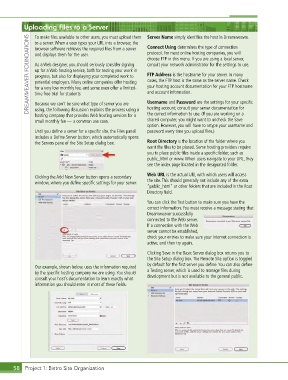
Uploading Files to a Server                        Connect Using determines the type of connection

               To make files available to other users, you must upload them  Server Name simply identifies the host in Dreamweaver.
             DREAMWEAVER FOUNDATIONS  and displays them for the user.  protocol. For most online hosting companies, you will
               to a server. When a user types your URL into a browser, the
               browser software retrieves the required files from a server
                                                              choose FTP in this menu. If you are using a local server,
                                                              consult your network administrator for the settings to use.
               As a Web designer, you should seriously consider signing
               up for a Web hosting service, both for testing your work in
                                                              FTP Address is the hostname for your server. In many
               progress, but also for displaying your completed work to
                                                              cases, the FTP host is the same as the server name. Check
               potential employers. Many online companies offer hosting
                                                              your hosting account documentation for your FTP hostname
               for a very low monthly fee, and some even offer a limited-
                                                              and account information.
               time free trial for students.
               Because we can’t be sure what type of server you are
                                                              hosting account; consult your server documentation for
               using, the following discussion explains the process using a
                                                              the correct information to use. (If you are working on a
               hosting company that provides Web hosting services for a   Username and Password are the settings for your specific
               small monthly fee — a common use case.         shared computer, you might want to uncheck the Save
                                                              option. However, you will have to retype your username and
               Until you define a server for a specific site, the Files panel   password every time you upload files.)
               includes a Define Server button, which automatically opens
               the Servers pane of the Site Setup dialog box.  Root Directory is the location of the folder where you
                                                              want the files to be placed. Some hosting providers require
                                                              you to place public files inside a specific folder, such as
                                                              public_html or www. When users navigate to your URL, they
                                                              see the index page located in the designated folder.
                                                              Web URL is the actual URL with which users will access
               Clicking the Add New Server button opens a secondary
               window, where you define specific settings for your server.   the site. This should generally not include any of the extra
                                                              “public_html” or other folders that are included in the Root
                                                              Directory field.
                                                              You can click the Test button to make sure you have the
                                                              correct information. You must receive a message stating that
                                                              Dreamweaver successfully
                                                              connected to the Web server.
                                                              If a connection with the Web
                                                              server cannot be established,
                                                              check your entries to make sure your Internet connection is
                                                              active, and then try again.
                                                              Clicking Save in the Basic Server dialog box returns you to
                                                              the Site Setup dialog box. The Remote Site option is toggled
                                                              by default for the first server you define. You can also define
               Our example, shown below, uses the information required
               by the specific hosting company we are using. You should   a Testing server, which is used to manage files during
               consult your host’s documentation to learn exactly what   development but is not available to the general public.
               information you should enter in most of these fields.


       58 Project 1: Bistro Site Organization

