


Page 17 - CS6_WD_Look_Inside
P. 17
Stage 1  Compositing Images and Artwork


                  Technically speaking, compositing is the process of combining any two or more objects (images,
                  text, illustrations, etc.) into an overall design. When we talk about compositing in Photoshop, we’re
                  typically referring to the process of combining multiple images into a single cohesive
                  image. Image compositing might be as simple as placing two images into different   Note:
                  areas of a background file; or it could be as complex as placing a person into a group   The ad you’re building
                  photo, carefully clipping out the individual’s background, and adjusting the shadows   in this project requires
                  to match the lighting in the group.                                            compositing four digital
                                                                                                 photographs. You will
                  Types of Images                                                                also incorporate title
                  There are two primary types of digital artwork: vector graphics and raster images.   treatment and logo
                      Vector graphics are composed of mathematical descriptions of a series of lines   files that were created
                  and shapes. Vector graphics are resolution independent; they can be freely enlarged   in Adobe Illustrator
                  or reduced, and they are automatically output at the resolution of the output device.    by other members of
                  The shapes that you create in Adobe InDesign, or in drawing applications such as   your creative team. The
                  Adobe Illustrator, are vector graphics.                                        various elements that
                      Raster images, such as photographs or files created in Adobe Photoshop,    make up the ad are fairly
                  are made up of a grid of independent pixels (rasters or bits) in rows and columns   representative of the type
                  (called a bitmap). Raster files are resolution dependent — their resolution is fixed,   of work you can (and
                  determined when you scan, photograph, or otherwise create the file. You can typically   probably will) create in
                  reduce raster images, but you cannot enlarge them without losing image quality.   Photoshop.
                      Line art is a type of raster image that is made up entirely of 100% solid areas;
                  the pixels in a line-art image have only two options: they can be all black or all white.
                  Examples of line art are UPC bar codes or pen-and-ink drawings.

                  Screen Ruling
                  The ad that you will be building in this project is intended to be placed in print
                  magazines, so you have to build the new file with the appropriate settings for
                  commercial printing. When reproducing a photograph on a printing press, the    Note:
                  image must be converted into a set of printable dots that fool the eye into believing   Despite their origins
                  it sees continuous tones. Prior to image-editing software, pictures that were being   in pre-digital print
                  prepared for printing on a press were photographed through a screen to create a grid   workflows, these terms
                  of halftone dots. The result of this conversion is a halftone image; the dots used to   persist in the digital
                  simulate continuous tone are called halftone dots. Light tones in a photograph are   environment.
                  represented as small halftone dots; dark tones become large halftone dots.
                      The screens used to create the halftone
                  images had a finite number of available dots in
                  a horizontal or vertical inch. That number was
                  the screen ruling, or lines per inch (lpi) of the
                  halftone. A screen ruling of 133 lpi means that
                  in a square inch there are 133 1 133 (17,689)
                  possible locations for a halftone dot. If the screen
                  ruling is decreased, there are fewer total halftone
                  dots, producing a grainier image; if the screen
                  ruling is increased, there are more halftone dots,
                  producing a clearer image.
                      Line screen is a finite number based on a
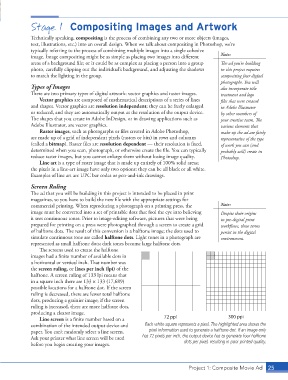
                  combination of the intended output device and   Each white square represents a pixel. The highlighted area shows the
                  paper. You can’t randomly select a line screen.    pixel information used to generate a halftone dot. If an image only
                  Ask your printer what line screen will be used   has 72 pixels per inch, the output device has to generate four halftone
                  before you begin creating your images.                          dots per pixel, resulting in poor printed quality.


                                                                                    Project 1: Composite Movie Ad   25

