


Page 6 - CC 2019 ID Look Inside
P. 6
PROJECTS AT A GLANCE


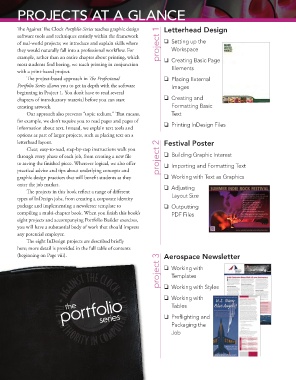
             Th  e Against Th  e Clock Portfolio Series teaches graphic design   Letterhead Design
             software tools and techniques entirely within the framework
             of real-world projects; we introduce and explain skills where   project 1    Setting up the
             they would naturally fall into a professional workfl ow. For   Workspace
             example, rather than an entire chapter about printing, which     Creating Basic Page
             most students fi nd boring, we teach printing in conjunction
             with a print-based project.                                Elements
                 Th  e project-based approach in Th  e Professional     Placing External
             Portfolio Series allows you to get in depth with the software   Images
             beginning in Project 1. You don’t have to read several
             chapters of introductory material before you can start     Creating and
             creating artwork.                                          Formatting Basic
                 Our approach also prevents “topic tedium.” Th  at means,   Text
             for example, we don’t require you to read pages and pages of
             information about text. Instead, we explain text tools and     Printing InDesign Files
             options as part of larger projects, such as placing text on a
             letterhead layout.                                      Festival Poster
                 Clear, easy-to-read, step-by-step instructions walk you
             through every phase of each job, from creating a new fi le   project 2    Building Graphic Interest
             to saving the fi nished piece. Wherever logical, we also off er     Importing and Formatting Text
             practical advice and tips about underlying concepts and
             graphic design practices that will benefi t students as they     Working with Text as Graphics
             enter the job market.                                    Adjusting
                 Th  e projects in this book refl ect a range of diff erent
             types of InDesign jobs, from creating a corporate identity   Layout Size
             package and implementing a newsletter template to        Outputting
             compiling a multi-chapter book. When you fi nish this book’s   PDF Files
             eight projects and accompanying Portfolio Builder exercises,
             you will have a substantial body of work that should impress
             any potential employer.
                 Th  e eight InDesign projects are described briefl y
             here; more detail is provided in the full table of contents
             (beginning on Page viii).                               Aerospace Newsletter
                                                                   project 3    Working with

                                                                        Templates

                                                                       Working with Styles

                              portfolio                                Working with
                                the
                                                                        Tables
                                             series
                                                                       Prefl ighting and
                                                                        Packaging the
                                                                        Job

