


Page 8 - CC2017_DW_Look_Inside
P. 8
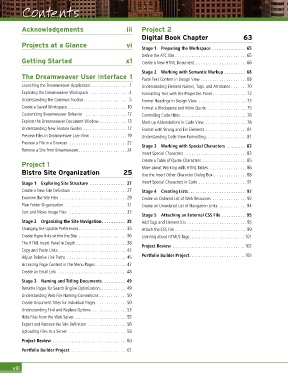
Contents


          Acknowledgements                           iii   Project 2
                                                           Digital Book Chapter                      63
          Projects at a Glance                       vi
                                                           Stage 1  Preparing the Workspace  . . . . . . . . . . . . . . 65
                                                            Define the ATC Site ...............................65
          Getting Started                            x1    Create a New HTML Document.......................66

                                                           Stage 2  Working with Semantic Markup  . . . . . . . . . 68
          The Dreamweaver User Interface 1                 Paste Text Content in Design View ....................68
          Launching the Dreamweaver Application.................1  Understanding Element Names, Tags, and Attributes . . . . . . .70
          Exploring the Dreamweaver Workspace .................4  Formatting Text with the Properties Panel ...............72
          Understanding the Common Toolbar....................5  Format Headings in Design View .....................73
          Create a Saved Workspace.......................... 10  Format a Blockquote and Inline Quote .................75
          Customizing Dreamweaver Behavior   .................. 12  Controlling Code Hints.............................78
          Explore the Dreamweaver Document Window ............ 13  Mark up Abbreviations in Code View ..................78
          Understanding New Feature Guides ................... 17  Format with Strong and Em Elements .................. 81
          Preview Files in Dreamweaver Live View ................ 19  Understanding Code View Formatting.................. 81
          Preview a File in a Browser..........................22
                                                           Stage 3  Working with Special Characters  . . . . . . . . 83
          Remove a Site from Dreamweaver..................... 24
                                                           Insert Special Characters ...........................83
                                                           Create a Table of Quote Characters....................85
          Project 1                                        More about Working with HTML Tables.................86
          Bistro Site Organization                  25     Use the Insert Other Character Dialog Box...............88

          Stage 1  Exploring Site Structure   . . . . . . . . . . . . . . . 27  Insert Special Characters in Code ..................... 91
          Create a New Site Definition ........................27  Stage 4  Creating Lists . . . . . . . . . . . . . . . . . . . . . . . . 92
          Examine the Site Files  .............................29  Create an Ordered List of Web Resources ...............92
          Plan Folder Organization ........................... 31  Create an Unordered List of Navigation Links.............94
          Sort and Move Image Files  .........................32
                                                           Stage 5  Attaching an External CSS File  . . . . . . . . . . 95
          Stage 2  Organizing the Site Navigation . . . . . . . . . . 35  Add Tags and Element IDs ..........................95
          Changing the Update Preferences.....................35  Attach the CSS File ...............................99
          Create Hyperlinks within the Site .....................36  Learning about HTML5 Tags........................ 101
          The HTML Insert Panel in Depth . . . . . . . . . . . . . . . . . . . . . .38  Project Review ............................... 102
          Copy and Paste Links..............................43
          Adjust Relative Link Paths ..........................45  Portfolio Builder Project........................ 103
          Accessing Page Content in the Menu Pages..............47
          Create an Email Link ..............................48

          Stage 3  Naming and Titling Documents . . . . . . . . . . 49
          Rename Pages for Search Engine Optimization............49
          Understanding Web File Naming Conventions ............50
          Create Document Titles for Individual Pages .............50
          Understanding Find and Replace Options ...............53
          Hide Files from the Web Server.......................55
          Export and Remove the Site Definition  .................56
          Uploading Files to a Server..........................58
          Project Review ................................60
          Portfolio Builder Project......................... 61


      viii

