


Page 7 - CC2017_DW_Look_Inside
P. 7
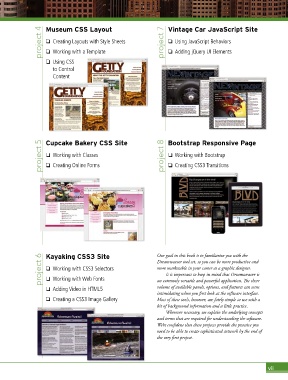
project 4  Museum CSS Layout                      project 7  Vintage Car JavaScript Site

                                                                      o  Using JavaScript Behaviors
                    o  Creating Layouts with Style Sheets
                                                                      o  Adding jQuery UI Elements
                    o  Working with a Template
                    o  Using CSS
                       to Control
                       Content


                  project 5  Cupcake Bakery CSS Site                project 8  Bootstrap Responsive Page

                                                                      o  Working with Bootstrap
                    o  Working with Classes
                    o  Creating Online Forms
                                                                      o  Creating CSS3 Transitions


                  project 6  Kayaking CSS3 Site                   Our goal in this book is to familiar ize you with the
                                                                  Dreamweaver tool set, so you can be more productive and
                    o  Working with CSS3 Selectors
                                                                  more marketable in your career as a graphic designer.
                                                                     It is important to keep in mind that Dreamweaver is
                    o  Working with Web Fonts
                                                                  volume of available panels, options, and features can seem
                    o  Adding Video in HTML5                      an extremely versatile and powerful application. The sheer
                                                                  intimidating when you first look at the software interface.
                    o  Creating a CSS3 Image Gallery              Most of these tools, however, are fairly simple to use with a
                                                                  bit of background information and a little practice.
                                                                     Wherever necessary, we explain the underlying concepts
                                                                  and terms that are required for understanding the software.
                                                                  We’re confident that these projects provide the practice you
                                                                  need to be able to create sophisticated artwork by the end of
                                                                  the very first project.


                                                                                                                vii

