


Page 20 - Adobe Dream Viewer CC 2020
P. 20
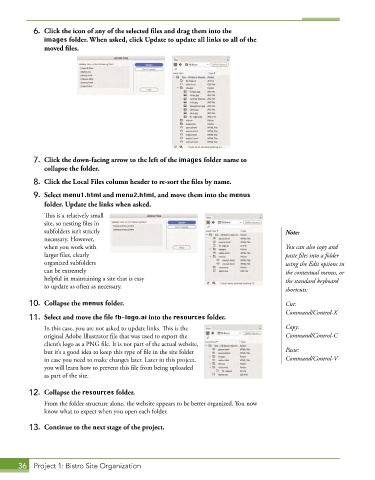
6.  Click the icon of any of the selected files and drag them into the
               images folder. When asked, click Update to update all links to all of the
              moved files.


           7.  Click the down-facing arrow to the left of the images folder name to
              collapse the folder.

           8.  Click the Local Files column header to re-sort the files by name.
           9.  Select menu1.html and menu2.html, and move them into the menus
               folder. Update the links when asked.
               This is a relatively small
               site, so nesting files in
               subfolders isn’t strictly                                                Note:
               necessary. However,
               when you work with                                                       You can also copy and
               larger files, clearly                                                    paste files into a folder
               organized subfolders                                                     using the Edit options in
               can be extremely                                                         the contextual menus, or
               helpful in maintaining a site that is easy                               the standard keyboard
               to update as often as necessary.
                                                                                        shortcuts:
          10.  Collapse the menus folder.                                               Cut:
                                                                                        Command/Control-X
          11.  Select and move the file fb-logo.ai into the resources folder.
               In this case, you are not asked to update links. This is the             Copy:
               original Adobe Illustrator file that was used to export the              Command/Control-C
               client’s logo as a PNG file. It is not part of the actual website,
               but it’s a good idea to keep this type of file in the site folder        Paste:
               in case you need to make changes later. Later in this project,           Command/Control-V
               you will learn how to prevent this file from being uploaded
               as part of the site.

          12.  Collapse the resources folder.
               From the folder structure alone, the website appears to be better organized. You now
               know what to expect when you open each folder.
          13.  Continue to the next stage of the project.


       36  Project 1: Bistro Site Organization

