


Page 15 - Adobe Dream Viewer CC 2020
P. 15
Examine the Site Files
            There are a number of files in the FB Bistro site folder. The first step in organizing
            the files is to examine the web page files and understand what they contain.

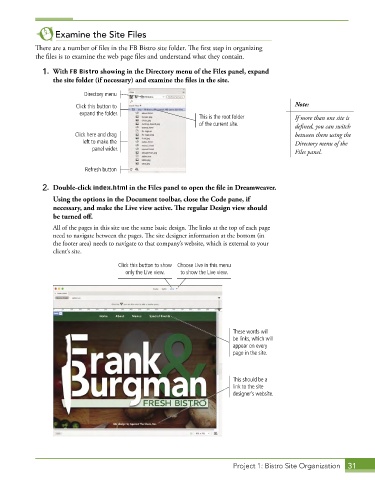
              1.  With FB Bistro showing in the Directory menu of the Files panel, expand
                 the site folder (if necessary) and examine the files in the site.

                           Directory menu

                        Click this button to                                               Note:
                         expand the folder.
                                                              This is the root folder      If more than one site is
                                                              of the current site.         defined, you can switch
                        Click here and drag                                                between them using the
                          left to make the                                                 Directory menu of the
                             panel wider.                                                  Files panel.


                           Refresh button

              2.  Double-click index.html in the Files panel to open the file in Dreamweaver.
                 Using the options in the Document toolbar, close the Code pane, if
                 necessary, and make the Live view active. The regular Design view should
                 be turned off.

                 All of the pages in this site use the same basic design. The links at the top of each page
                 need to navigate between the pages. The site designer information at the bottom (in
                 the footer area) needs to navigate to that company’s website, which is external to your
                 client’s site.

                                     Click this button to show   Choose Live in this menu
                                       only the Live view.  to show the Live view.


                                                                        These words will
                                                                        be links, which will
                                                                        appear on every
                                                                        page in the site.


                                                                        This should be a
                                                                        link to the site
                                                                        designer’s website.


                                                                        Project 1: Bistro Site Organization  31

