


Page 10 - CC 2019 WD Look Inside
P. 10
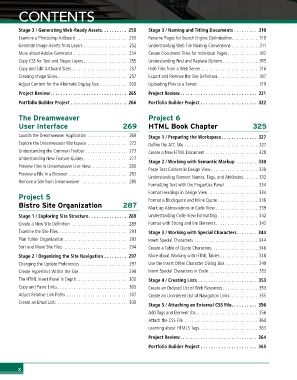
CONTENTS


        Stage 3 / Generating Web-Ready Assets . . . . . . . . . . 250  Stage 3 / Naming and Titling Documents  .  .  .  .  .  .  .  .  .  .310
        Examine a Photoshop Artboard ...................... 250  Rename Pages for Search Engine Optimization........... 310
        Generate Image Assets from Layers . . . . . . . . . . . . . . . . . . . 252  Understanding Web File Naming Conventions ............311
        More about Adobe Generator  ....................... 254  Create Document Titles for Individual Pages............. 312
        Copy CSS for Text and Shape Layers................... 255  Understanding Find and Replace Options............... 315
        Copy and Edit Artboard Sizes ........................ 257  Hide Files from a Web Server ........................ 316
        Creating Image Slices.............................. 257  Export and Remove the Site Definition ................. 317
        Adjust Content for the Alternate Display Size ............ 260  Uploading Files to a Server.......................... 319
        Project Review  . . . . . . . . . . . . . . . . . . . . . . . . . . . . . . 265  Project Review  . . . . . . . . . . . . . . . . . . . . . . . . . . . . . . 321
        Portfolio Builder Project  . . . . . . . . . . . . . . . . . . . . . . 266  Portfolio Builder Project  . . . . . . . . . . . . . . . . . . . . . . 322

        The Dreamweaver                                   Project 6
        User Interface                          269       HTML Book Chapter                       325

        Launch the Dreamweaver Application ................. 269  Stage 1 / Preparing the Workspace . . . . . . . . . . . . . . 327
        Explore the Dreamweaver Workspace ................. 272  Define the ATC Site ............................... 327
        Understanding the Common Toolbar .................. 273  Create a New HTML Document ...................... 328
        Understanding New Feature Guides................... 277
                                                          Stage 2 / Working with Semantic Markup   . . . . . . . . 330
        Preview Files in Dreamweaver Live View................ 280
                                                          Paste Text Content in Design View.................... 330
        Preview a File in a Browser.......................... 283
                                                          Understanding Element Names, Tags, and Attributes . . . . . . 332
        Remove a Site from Dreamweaver .................... 285
                                                          Formatting Text with the Properties Panel .............. 334
                                                          Format Headings in Design View ..................... 334
        Project 5                                         Format a Blockquote and Inline Quote ................. 336
        Bistro Site Organization                287       Mark up Abbreviations in Code View .................. 339

        Stage 1 / Exploring Site Structure . . . . . . . . . . . . . . . 289  Understanding Code View Formatting ................. 342
        Create a New Site Definition ........................ 289  Format with Strong and Em Elements.................. 342
        Examine the Site Files  ............................. 291  Stage 3 / Working with Special Characters . . . . . . . . 344
        Plan Folder Organization ........................... 293  Insert Special Characters ........................... 344
        Sort and Move Site Files  ........................... 294  Create a Table of Quote Characters ................... 346
        Stage 2 / Organizing the Site Navigation  . . . . . . . . . 297  More about Working with HTML Tables . . . . . . . . . . . . . . . . 348
        Changing the Update Preferences .................... 297  Use the Insert Other Character Dialog Box .............. 349
        Create Hyperlinks Within the Site ..................... 298  Insert Special Characters in Code ..................... 352
        The HTML Insert Panel In Depth...................... 300  Stage 4 / Creating Lists  . . . . . . . . . . . . . . . . . . . . . . . 353
        Copy and Paste Links.............................. 305  Create an Ordered List of Web Resources............... 353
        Adjust Relative Link Paths .......................... 307  Create an Unordered List of Navigation Links............ 355
        Create an Email Link .............................. 309
                                                          Stage 5 / Attaching an External CSS File . . . . . . . . . . 356
                                                          Add Tags and Element IDs .......................... 356
                                                          Attach the CSS File ............................... 360
                                                          Learning about HTML5 Tags......................... 363
                                                          Project Review  . . . . . . . . . . . . . . . . . . . . . . . . . . . . . . 364

                                                          Portfolio Builder Project  . . . . . . . . . . . . . . . . . . . . . . 365


        x

