


Page 7 - Adobe Photoshop and Dreamviewer 2021
P. 7
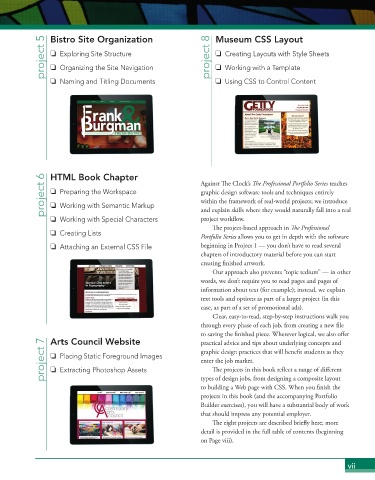
project 5  Bistro Site Organization                project 8  Museum CSS Layout
                   Exploring Site Structure
                                                                      Creating Layouts with Style Sheets
                   Organizing the Site Navigation
                                                                      Working with a Template
                   Naming and Titling Documents                       Using CSS to Control Content


              project 6  HTML Book Chapter                    Against  e Clock’s  e Professional Portfolio Series teaches


                   Preparing the Workspace
                                                              graphic design software tools and techniques entirely
                                                              within the framework of real-world projects; we introduce
                   Working with Semantic Markup
                                                              project work ow.

                   Working with Special Characters            and explain skills where they would naturally fall into a real


                                                                   e project-based approach in  e Professional
                   Creating Lists                             Portfolio Series allows you to get in depth with the software
                   Attaching an External CSS File             beginning in Project 1 — you don’t have to read several
                                                              chapters of introductory material before you can start

                                                              creating  nished artwork.
                                                                  Our approach also prevents “topic tedium” — in other
                                                              words, we don’t require you to read pages and pages of
                                                              information about text (for example); instead, we explain
                                                              text tools and options as part of a larger project (in this
                                                              case, as part of a set of promotional ads).
                                                                  Clear, easy-to-read, step-by-step instructions walk you
                                                              through every phase of each job, from creating a new  le


                                                              to saving the  nished piece. Wherever logical, we also o er

                Arts Council Website
              project 7     Placing Static Foreground Images  graphic design practices that will bene t students as they
                                                              practical advice and tips about underlying concepts and

                                                              enter the job market.

                                                                   e projects in this book re ect a range of di erent
                   Extracting Photoshop Assets


                                                              types of design jobs, from designing a composite layout

                                                              to building a Web page with CSS. When you  nish the
                                                              projects in this book (and the accompanying Portfolio
                                                              Builder exercises), you will have a substantial body of work
                                                              that should impress any potential employer.

                                                                   e eight projects are described brie y here; more

                                                              detail is provided in the full table of contents (beginning
                                                              on Page viii).
                                                                                                           vii

