


Page 9 - CC2017_PS_Look_Inside
P. 9
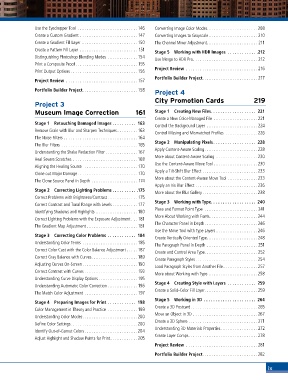
Use the Eyedropper Tool ..........................146  Converting Image Color Modes .....................208
               Create a Custom Gradient ......................... 147  Converting Images to Grayscale ..................... 210
               Create a Gradient Fill Layer ........................ 150  The Channel Mixer Adjustment...................... 211
               Create a Pattern Fill Layer ......................... 151  Stage 5  Working with HDR Images   . . . . . . . . . . . .  .212
               Distinguishing Photoshop Blending Modes ............. 154
                                                                 Use Merge to HDR Pro............................ 212
               Print a Composite Proof........................... 155
                                                                 Project Review ............................... 216
               Print Output Options ............................. 156
                                                                 Portfolio Builder Project........................ 217
               Project Review ............................... 157
               Portfolio Builder Project........................ 158  Project 4

                                                                 City Promotion Cards                     219
               Project 3
               Museum Image Correction                   161     Stage 1  Creating New Files . . . . . . . . . . . . . . . . . . . 221
                                                                 Create a New Color-Managed File  ................... 221
               Stage 1  Retouching Damaged Images  .  .  .  .  .  .  .  .  .  .  163
                                                                 Control the Background Layer  ...................... 224
               Remove Grain with Blur and Sharpen Techniques......... 163
                                                                 Control Missing and Mismatched Profiles ..............226
               The Noise Filters ................................164
               The Blur Filters ................................. 165  Stage 2  Manipulating Pixels . . . . . . . . . . . . . . . . . . 228
               Understanding the Shake Reduction Filter .............. 167  Apply Content-Aware Scaling.......................228
                                                                 More about Content-Aware Scaling ..................230
               Heal Severe Scratches ............................168
               Aligning the Healing Source  ....................... 170  Use the Content-Aware Move Tool ...................230
                                                                 Apply a Tilt-Shift Blur Effect ........................233
               Clone out Major Damage.......................... 170
               The Clone Source Panel in Depth .................... 174  More about the Content-Aware Move Tool .............233
                                                                 Apply an Iris Blur Effect ...........................236
               Stage 2  Correcting Lighting Problems  . . . . . . . . . .  .175
                                                                 More about the Blur Gallery........................238
               Correct Problems with Brightness/Contrast ............. 175
               Correct Contrast and Tonal Range with Levels ........... 177  Stage 3  Working with Type . . . . . . . . . . . . . . . . . . . 240
                                                                 Place and Format Point Type  ....................... 241
               Identifying Shadows and Highlights ..................180
               Correct Lighting Problems with the Exposure Adjustment ... 181  More About Working with Fonts.....................244
                                                                 The Character Panel in Depth.......................246
               The Gradient Map Adjustment ...................... 181
                                                                 Use the Move Tool with Type Layers ..................246
               Stage 3  Correcting Color Problems  . . . . . . . . . . . . 184
                                                                 Create Vertically Oriented Type......................248
               Understanding Color Terms ........................ 185
                                                                 The Paragraph Panel in Depth ...................... 251
               Correct Color Cast with the Color Balance Adjustment ..... 187  Create and Control Area Type....................... 252
               Correct Gray Balance with Curves.................... 189  Create Paragraph Styles...........................254
               Adjusting Curves On-Screen........................190
                                                                 Load Paragraph Styles from Another File............... 257
               Correct Contrast with Curves . . . . . . . . . . . . . . . . . . . . . . . 193
                                                                 More about Working with Type .....................258
               Understanding Curve Display Options ................. 195
                                                                 Stage 4  Creating Style with Layers   . . . . . . . . . . . . 259
               Understanding Automatic Color Correction ............. 196
               The Match Color Adjustment ....................... 197  Create a Solid-Color Fill Layer.......................259
                                                                 Stage 5  Working in 3D  . . . . . . . . . . . . . . . . . . . . . . 264
               Stage 4  Preparing Images for Print  . . . . . . . . . . . . 198
                                                                 Create a 3D Postcard.............................265
               Color Management in Theory and Practice  ............. 199
               Understanding Color Modes........................200  Move an Object in 3D ............................267
                                                                 Create a 3D Sphere . . . . . . . . . . . . . . . . . . . . . . . . . . . . . . 271
               Define Color Settings.............................200
               Identify Out-of-Gamut Colors.......................204  Understanding 3D Materials Properties ................ 272
                                                                 Create Layer Comps.............................. 278
               Adjust Highlight and Shadow Points for Print............205
                                                                 Project Review ............................... 281
                                                                 Portfolio Builder Project........................282


                                                                                                                ix

