


Page 74 - Adobe Illustrator 2022
P. 74
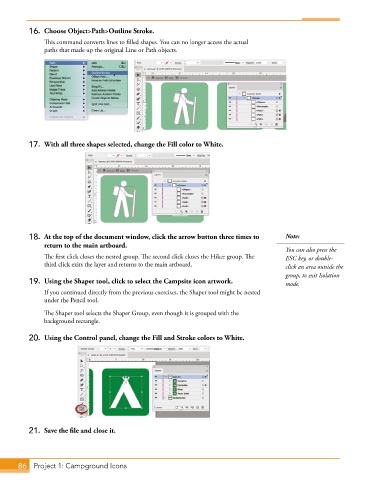
16.  Choose Object>Path>Outline Stroke.
               This command converts lines to filled shapes. You can no longer access the actual
               paths that made up the original Line or Path objects.


          17.  With all three shapes selected, change the Fill color to White.


          18.  At the top of the document window, click the arrow button three times to   Note:
              return to the main artboard.
                                                                                        You can also press the
               The first click closes the nested group. The second click closes the Hiker group. The   ESC key, or double-
               third click exits the layer and returns to the main artboard.            click an area outside the
                                                                                        group, to exit Isolation
          19.  Using the Shaper tool, click to select the Campsite icon artwork.        mode.
               If you continued directly from the previous exercises, the Shaper tool might be nested
               under the Pencil tool.

               The Shaper tool selects the Shaper Group, even though it is grouped with the
               background rectangle.


          20.  Using the Control panel, change the Fill and Stroke colors to White.


          21.  Save the file and close it.


       86  Project 1: Campground Icons

